
In an era where nearly every aspect of our lives intertwines with the internet, ensuring your web browsing activities are secure is more crucial than ever. The convenience of having the world at your fingertips comes with its own set of challenges, as the internet can be a hotbed for malicious threats and scams. Safe browsing isn’t just a buzzword; it’s a fundamental practice that protects your personal information, financial assets, and overall digital wellbeing. But what exactly does safe browsing entail, and why is it so important?
To navigate the web securely, one must first understand the concept of safe browsing and its significance. Safe browsing encompasses a variety of tactics and tools designed to shield you from potential threats such as malware, phishing scams, and other forms of cyber-attacks that lurk in the shadows of the internet. Imagine the web as a vast city; just as you wouldn’t wander down dark alleyways without caution, similarly, you should traverse cyberspace with awareness and precaution.
Among the risks of unguarded browsing are the possibilities of encountering viruses, malicious software that can wreak havoc on your device, and phishing schemes that attempt to steal your sensitive information by posing as legitimate websites or services. Cybercriminals are constantly developing new methods to deceive unsuspecting users, making it all the more essential to stay informed and vigilant.
So, how can you ensure your online navigation remains secure? Start by understanding the importance of secure connections, such as those provided by HTTPS, which encrypt your data and make it more difficult for hackers to intercept. Complement this by employing reliable antivirus and anti-malware software that acts as a protective shield against harmful entities.
Moreover, maintaining the latest updates on your software and browsers is not a mere suggestion but a critical practice. Updates often contain patches for security vulnerabilities that could otherwise be exploited by cybercriminals. Additionally, becoming adept at recognizing and avoiding phishing schemes can save you from potential breaches.
Public Wi-Fi, while convenient, can be a risky playground for data theft. Using Virtual Private Networks (VPNs) can offer an added layer of security, ensuring your data remains encrypted and your browsing activities private, even on less secure networks.
By embracing these best practices, you can transform your online experiences from a perilous odyssey into a safe, enjoyable journey through the digital realm. Happy and secure browsing!
Understanding the Basics of Safe Browsing
Definition and Importance of Safe Browsing
Safe browsing refers to the practice of using the internet in a secure way to protect personal information and avoid falling victim to cyber threats. It’s like wearing a seatbelt while driving; it doesn’t stop you from reaching your destination, but it helps keep you safe along the way.
Keeping your personal information secure and avoiding malicious sites can seem daunting, especially with the constantly evolving landscape of cyber threats. However, understanding why safe browsing is crucial can motivate you to adopt good habits online.
What exactly does safe browsing entail? It covers a range of practices including using secure websites (ones that start with HTTPS), being cautious about sharing personal information, and being vigilant about the links you click and the emails you open. These habits are essential to protect yourself from data breaches, identity theft, and malware attacks.
Common Threats and Risks While Browsing the Web
The internet, while incredibly useful, is also fraught with risks. Here are some of the most common threats you may encounter:
1. Malware
Malware, short for malicious software, is designed to harm your computer or steal your data. This can range from viruses and worms to ransomware and spyware. Once malware infects your system, it can slow down your device, steal personal information, or even lock you out of your files until a ransom is paid.
2. Phishing
Phishing is a scam where attackers pretend to be a trustworthy entity to steal sensitive information like usernames, passwords, and credit card details. These attacks often come in the form of deceptive emails or websites that look legitimate but are actually traps. For example, you might receive an email that looks like it’s from your bank, asking you to verify your account information. Clicking on the link and entering your details gives the scammers access to your account.
3. Man-in-the-Middle (MitM) Attacks
In a Man-in-the-Middle attack, a cybercriminal intercepts the communication between you and a website. They can steal data, inject malicious content, or manipulate the communication in real time. This often happens over unsecured Wi-Fi networks, making it essential to use secure connections.
4. Social Engineering
Social engineering is a tactic where attackers manipulate you into giving up confidential information. This can happen through various methods such as impersonating a colleague or tech support personnel. The goal is to trick you into breaking normal security procedures.
5. Unsecured Websites
Not all websites are created equal. Some sites, especially those that don’t use HTTPS, can compromise your security. HTTP sites are not encrypted, meaning any data you enter can be easily intercepted by cybercriminals. On the other hand, websites using HTTPS encrypt the data between your browser and the website, making it harder for attackers to intercept or manipulate the data.
6. Data Breaches
Data breaches occur when unauthorized individuals access a database and steal sensitive information. This can happen due to vulnerabilities in a website or application. When sites you trust are compromised, your data can be exposed, leading to potential identity theft or financial loss.
7. Tracking and Privacy Invasion
While not always malicious, tracking by various websites and advertisers can result in a significant invasion of your privacy. Cookies and other tracking mechanisms collect data about your browsing habits, which can be sold or used to create detailed profiles about you without your consent.
8. Fake Websites and Scams
Cybercriminals often create fake websites that look legitimate to trick you into entering sensitive information. These sites might mimic a popular e-commerce site, a banking portal, or even a social media platform. If you’re not careful, you could easily be deceived and end up giving your personal data to hackers.
How These Threats Impact You
Understanding these common threats highlights the importance of safe browsing. Falling victim to any of these can have serious consequences, ranging from financial loss to personal data exposure. For instance, if someone gains access to your banking information through a phishing scam, they can drain your bank account. Similarly, if your computer is infected with ransomware, you might lose access to vital files unless you pay a hefty ransom.
Moreover, breaches in privacy can lead to longer-term consequences like identity theft, where someone uses your personal information to open credit accounts and commit fraud.
By being aware of these dangers, you can take proactive measures to protect yourself. Safe browsing isn’t about being paranoid; it’s about being informed and cautious in your digital activities.
In conclusion, understanding the basics of safe browsing means knowing what threats exist and how they can impact you. This foundational knowledge sets the stage for adopting best practices that we’ll delve into in the subsequent sections. Stay tuned as we explore how to navigate the web securely, protecting yourself and your data in the ever-evolving digital landscape.
Best Practices for Secure Online Navigation
Utilizing Secure Connections (HTTPS)
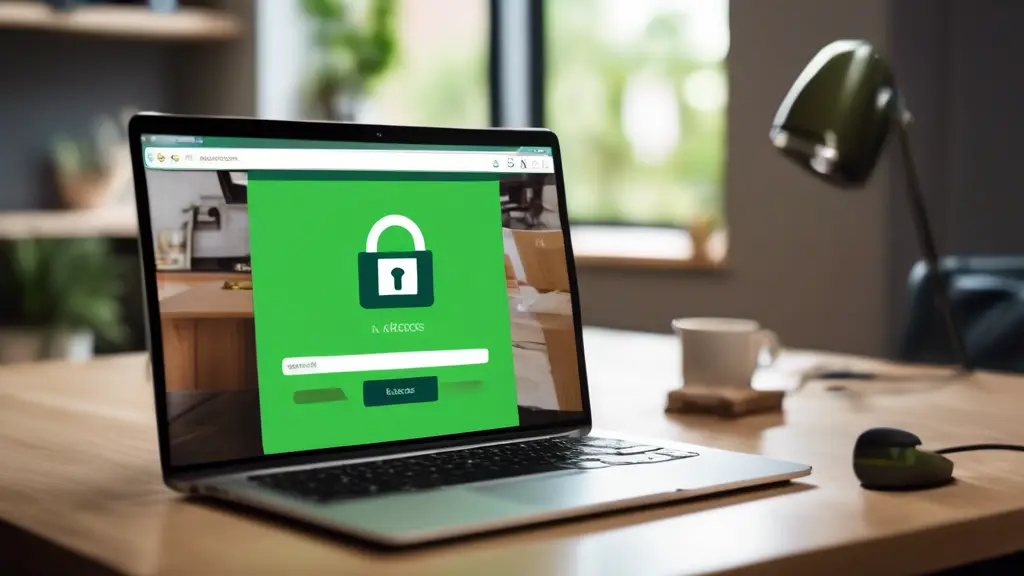
When you browse the web, the address of a website often starts with either http:// or https://. The s in https stands for secure. Websites with HTTPS use encryption to protect the data exchanged between your browser and the website you’re visiting. This means that any information you send or receive is scrambled and can’t be read by hackers or eavesdroppers.
To ensure your information stays safe, always check for https:// in the address bar, especially when entering sensitive information like passwords or payment details. Many browsers also display a padlock icon next to the URL to indicate a secure connection. Avoid entering any personal information on sites that do not have this secure connection.
The Role of Antivirus and Anti-Malware Software
Antivirus and anti-malware software are your first line of defense against malicious software that can corrupt your system or steal your information. These tools scan your computer for viruses, trojans, spyware, and other malware, preventing them from causing harm.
Keeping your antivirus and anti-malware software up-to-date is crucial as new threats emerge daily. Most software offers automatic updates, so make sure this feature is enabled. A well-maintained security program can detect and neutralize threats before they cause significant damage.
Keeping Software and Browsers Updated
Software updates can be annoying, but they play a vital role in maintaining your online security. Developers frequently release updates to fix bugs, patch security vulnerabilities, and improve performance. Using outdated software is like leaving your front door unlocked—hackers can easily exploit old vulnerabilities to gain access to your system.
To ensure you’re protected, set your applications, operating system, and browser to update automatically. If this isn’t possible, regularly check for and install updates manually. Keeping your software current minimizes the risk of attacks and ensures you benefit from the latest security features.
Identifying and Avoiding Phishing Schemes
Phishing schemes involve fraudulent attempts to obtain sensitive information by pretending to be a trustworthy entity. These scams often come in the form of emails or messages that look legitimate but contain malicious links or attachments.
To spot a phishing attempt, look for these red flags:
1. **Unusual Sender** – If you receive an email from an unknown source or an address that seems off, be cautious.
2. **Suspicious Links** – Hover over links without clicking to see if the URL matches the supposed sender’s website.
3. **Urgent Language** – Scammers often use deadlines or scare tactics to rush you into acting without thinking.
4. **Spelling and Grammar Errors** – Many phishing emails contain obvious mistakes.
If you receive a suspicious email or message, do not click on any links or download attachments. Report it to your email provider or IT department and delete the message.
Safe Use of Public Wi-Fi and VPNs
Public Wi-Fi networks, such as those in coffee shops or airports, are convenient but often unsecured, making it easy for hackers to intercept your data. If you must use public Wi-Fi, avoid accessing sensitive accounts like online banking or entering personal information.
For better security, use a Virtual Private Network (VPN). A VPN creates a private, encrypted tunnel for your internet activity, making it difficult for outsiders to snoop on your connection. Many VPN services are available, both free and subscription-based. Choose one with good reviews and strong security features.
By following these best practices, you can navigate the web more securely, reducing the risk of cyber threats and protecting your personal information. Happy and safe browsing!
In wrapping up our journey through the realm of safe browsing, it’s imperative to embrace the foundational principles that lay the groundwork for a secure online experience. We’ve explored why safe browsing is crucial, touching upon the myriad of threats and risks lurking in the digital shadows, from innocent-looking phishing emails to malicious software that can wreak havoc on your personal information.
Implementing best practices is akin to building a fortress around your digital presence. Always ensure you’re browsing via secure connections denoted by HTTPS; think of it like sending an armored courier instead of a common postcard. Employing reliable antivirus and anti-malware software acts as vigilant sentinels, constantly scanning for and neutralizing threats before they can strike. Just as you wouldn’t let your car run without routine check-ups, keeping your software and browsers updated is vital to patching vulnerabilities and enhancing protection against the latest threats.
Phishing schemes—those deceitful traps laid out by cybercriminals—require a discerning eye to spot. Always be skeptical of unsolicited messages and verify the authenticity before parting with any personal data. Public Wi-Fi might seem convenient, but remember, it’s a double-edged sword; to offset its inherent risks, using VPNs is a smart move. They cloak your online activities, keeping prying eyes at bay.
Ultimately, navigating the web securely boils down to a blend of vigilance, updated tools, and informed choices. It’s about creating a digital hygiene routine as habitual as washing hands before meals. By integrating these practices into your daily online activities, you not only safeguard your personal information but also contribute to a safer internet for everyone. In the ever-evolving landscape of the internet, staying ahead of potential threats through continuous learning and proactive measures will ensure you can explore the digital world with confidence and peace of mind.


